
RAM vs. Storage: Two Numbers That Mean Very Different Things

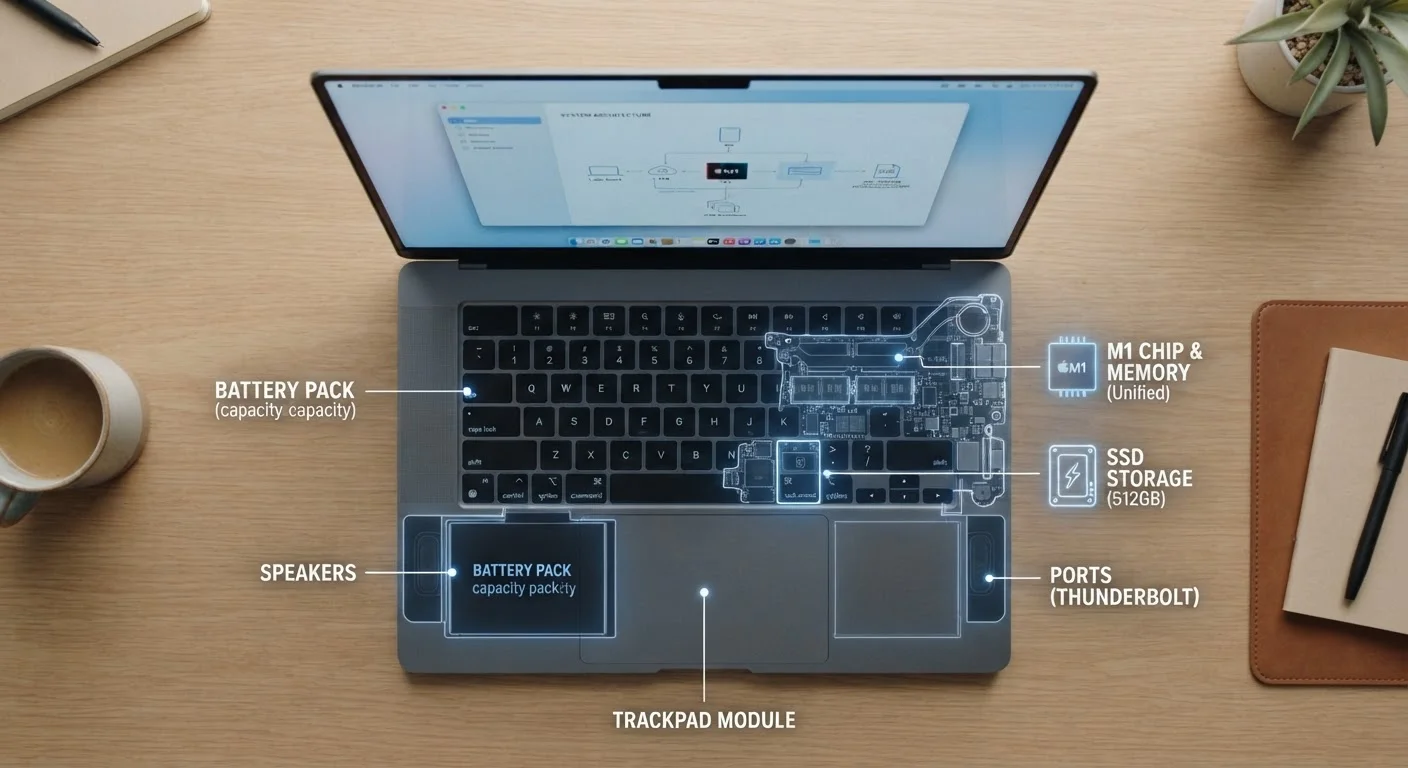
Photo: InDepthReads.com | Streamlining Learning For All editorial
Key Takeaways
- RAM holds data your device is actively using right now; storage holds everything else long-term.
- Both are measured in gigabytes, which is why shoppers frequently confuse the two.
- More RAM improves multitasking speed; more storage means room for more files and apps.
- Running low on RAM causes slowdowns; running low on storage can prevent saving new files.
- For most users, 8-16 GB of RAM and 256-512 GB of storage covers everyday needs comfortably.
Same Unit, Totally Different Job
Walk into any electronics retailer or browse a device listing online, and you'll see two numbers that look almost identical: something like "16 GB RAM" and "512 GB Storage." Both use gigabytes. Both sound like they measure the same thing. They don't - and understanding the difference can change how you shop for every device you'll ever own.
Think of your device as a physical office. RAM is the surface of your desk - the active workspace where you spread out everything you're currently working on. Storage is the filing cabinet in the corner, holding everything you're not using at this moment but want to keep. A bigger desk means you can work on more things simultaneously. A bigger filing cabinet means you can keep more things long-term. You need both, but for very different reasons.
| Criterion | RAM | Storage |
|---|---|---|
| Primary role | Active working memory | Long-term data retention |
| Data persistence | Erased when powered off | Retained when powered off |
| Affects | Multitasking & app speed | File/app capacity |
| Typical capacities | 8 GB - 64 GB | 128 GB - 4 TB+ |
| When it runs low | Device slows or freezes | Can't save new files |
| Speed type | Extremely fast (nanoseconds) | Slower (SSD faster than HDD) |
What RAM Actually Does
RAM - short for Random Access Memory - is the high-speed, temporary workspace your processor uses to run active programs. When you open a web browser, launch a spreadsheet, or queue up a video call, all of that data loads into RAM so your device can access it almost instantly. The moment you close those apps or restart the device, that data is gone from RAM entirely.
This is why RAM capacity directly affects how a device feels in real-time use. A device with limited RAM will struggle when you have many tabs open or switch rapidly between apps - it starts offloading tasks to slower storage just to keep up, which is where that familiar lag comes from. For a deeper look at how component speeds interact, see our plain-language breakdown of MHz and GHz.
8 GB
Minimum RAM for smooth everyday use
Industry guidance from major OS developers suggests 8 GB as the practical floor for comfortable general use on modern operating systems.
~10x
Speed difference: SSD vs. traditional HDD
Consumer SSD benchmarks consistently show read speeds roughly ten times faster than mechanical hard drives, significantly impacting boot and load times.
What Storage Actually Does
Storage - whether it's a traditional hard drive (HDD) or a faster solid-state drive (SSD) - is where everything lives permanently. Your operating system, every app you've installed, every photo you've taken, every document you've saved: all of it sits in storage, waiting to be called up when needed. Unlike RAM, storage retains data even when the power is off.
The type of storage matters as much as the amount. SSDs read and write data far faster than HDDs, which is why devices equipped with SSDs tend to boot faster and open applications more quickly. However, neither type of storage replaces RAM - they serve completely separate roles in the workflow. Running low on storage doesn't slow your active tasks; it simply means you can't save anything new until you free up space. For more on how these bottlenecks compound over time, our article on why gadgets slow down over time covers the full picture.
Virtual Memory: When RAM Borrows From Storage
How to Read the Numbers When You're Shopping
When evaluating a device, treat RAM and storage as answering two separate questions: "How well can it multitask?" (RAM) and "How much can it hold?" (storage). A device advertised with 8 GB RAM and 1 TB storage has a modest active workspace but an enormous filing cabinet - great for someone who stores a lot locally but doesn't run demanding software simultaneously.
As a general rule of thumb for everyday consumers: 8 GB of RAM handles light use, while 16 GB gives comfortable headroom for multitasking. For storage, 256 GB suits users who rely heavily on cloud services, while 512 GB or more makes sense if you keep large files locally. Neither number tells the whole story on its own - both work together to shape the experience of using a device every day.
The content on this site is for informational purposes only and is not a substitute for professional advice. Always consult a qualified professional for guidance specific to your situation.