
Screen Resolution Demystified: HD, 4K, and Everything Between

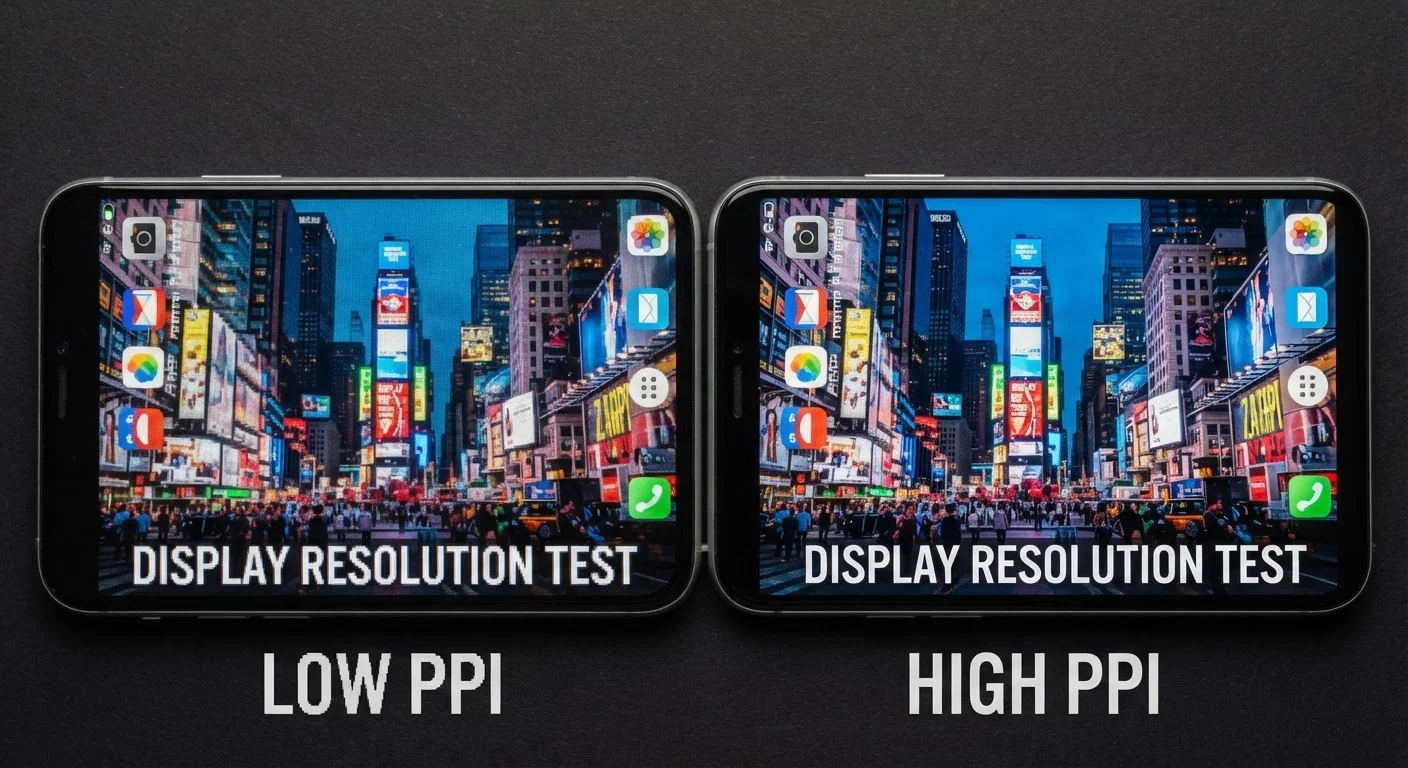
Photo: InDepthReads.com | Streamlining Learning For All editorial
Key Takeaways
- Resolution is simply the number of pixels on a screen, measured as width × height.
- Common labels - 720p, 1080p, 4K, 8K - correspond to specific pixel counts, not arbitrary tiers.
- Higher resolution only improves perceived sharpness when screen size and viewing distance support it.
- The content you watch must also be filmed or encoded in that resolution to look its best.
- Resolution is one factor among several; refresh rate, panel type, and color accuracy also matter.
The Pixel Grid: What Resolution Actually Measures
Every screen - whether it's a smartphone, laptop, or living-room TV - is made up of tiny colored dots called pixels. Resolution tells you how many of those dots are arranged across and down the display. A screen described as 1920×1080 has 1,920 columns and 1,080 rows of pixels, for a total of roughly 2.07 million pixels.
The shorthand labels you see in stores compress this into simpler terms. "1080p" refers to 1,080 pixel rows; "720p" has 1,280×720 pixels; and "4K" - also called Ultra HD - sits at approximately 3,840×2,160 pixels, about four times the pixel count of 1080p. The "K" in 4K loosely means four thousand, referencing the horizontal pixel count.
These numbers matter because more pixels allow a screen to render finer detail - sharper text, more defined edges, and greater texture in images. But pixel count alone doesn't tell the whole story.
~8.3M
Total pixels in a 4K display
A 4K (3840×2160) screen contains approximately 8.3 million pixels - four times the 2.07 million pixels in a 1080p display.
300 PPI
Approximate retina threshold for smartphones
Apple coined 'Retina' to describe displays where pixels are indistinguishable at typical viewing distances; around 300 PPI is a commonly referenced benchmark for handheld devices.
1080p
Most common streaming resolution globally
Full HD (1080p) remains the dominant delivery resolution for streaming platforms and broadcast content, even as 4K content availability grows.
Why Screen Size and Viewing Distance Change Everything
Resolution only tells you the total number of pixels. Pixel density - measured in pixels per inch, or PPI - tells you how tightly those pixels are packed into the physical screen area. This is where resolution and screen size interact in ways that matter for how sharp an image actually looks to your eye.
On a 5-inch smartphone screen, a 1080p display gives you a very high PPI, meaning pixels are packed tightly enough that individual dots are invisible at arm's length. Put that same 1080p resolution on a 75-inch TV and the pixels are spread across a much larger area, making them potentially visible up close.
Viewing distance compounds this further. Sitting 10 feet from a 65-inch 4K TV, your eyes may not resolve enough detail to distinguish it from 1080p. Moving closer - say, to a desk monitor - makes the higher pixel density perceptible. This is why display engineers use the concept of a retina threshold: the point at which pixel density exceeds what the human eye can distinguish at a given distance.
“The resolution race has led consumers to focus on pixel counts while overlooking equally important factors like panel contrast, color gamut, and local dimming - all of which can have a more visible impact on everyday viewing than jumping from 1080p to 4K.”
— Raymond Soneira, Display researcher and founder of DisplayMate Technologies
The Resolution Ladder: 720p Through 8K
Here's a plain-language breakdown of the common resolution tiers:
- 720p (HD): 1280×720 pixels. Once the broadcast standard, now mainly found on budget devices, older content, and some streaming options on slower connections.
- 1080p (Full HD): 1920×1080 pixels. Still the dominant standard for streaming, gaming, and general computing. Looks excellent on screens up to about 40 inches at typical viewing distances.
- 1440p (QHD / 2K): 2560×1440 pixels. Common on PC gaming monitors and some smartphones. Offers a meaningful sharpness improvement over 1080p at desk distances.
- 4K (Ultra HD): 3840×2160 pixels. Now widespread on TVs and higher-end monitors. The benefit is most visible on screens 43 inches and larger, or at closer viewing distances.
- 8K: 7680×4320 pixels. Commercially available but practically limited - native 8K content is scarce, and screens are large and expensive. Not a realistic everyday consideration for most households.
Resolution also affects how much content fits on a screen. A 4K monitor can display two full 1080p windows side by side with pixels to spare - a practical advantage for productivity work, not just visual quality.
Resolution is closely related to how content is streamed and encoded. Our streaming quality explainer covers how bitrate and bandwidth affect the resolution you actually receive.
When Higher Resolution Makes a Genuine Difference
Higher resolution is genuinely worth prioritizing in a few scenarios:
- Large screens at close range - a 55-inch or larger TV watched from 6 feet or less, or a desktop monitor used at arm's length.
- Detail-intensive tasks - photo or video editing, graphic design, or reading small text for long periods benefit from higher pixel density.
- Gaming at high settings - where fine texture detail and crisp edges are part of the intended visual experience.
It matters less in these situations:
- Small screens viewed at typical distances (most smartphones already exceed the retina threshold at 1080p).
- Casual streaming on a budget screen placed across the room.
- Situations where source content isn't available in the higher resolution.
Resolution is only one piece of a display's quality. Refresh rate, for example, affects motion smoothness in ways resolution cannot. Our refresh rate explainer covers how 60Hz and 120Hz panels actually differ in use.
Match Resolution to Your Actual Setup
Frequently Asked Questions
The content on this site is for informational purposes only and is not a substitute for professional advice. Always consult a qualified professional for guidance specific to your situation.